Overview
Every construction site has a dig board: a wall in the trailer with a printed site plan, highlighted utility lines and paper permits pinned where crews are allowed to dig. When it’s wrong or out of date, someone hits a buried line. That costs tens of thousands of dollars, days of delay and sometimes much worse.
The Digital Dig Board moves that wall onto the drone map. It is a standalone app inside DroneDeploy where a site team configures one trusted underground view, draws dig areas, tracks permits, and records utility runs as planned or installed, with depth, before the trench is backfilled.
I’m the lead product designer. I designed the app shell, board configuration, dig areas, the permit lifecycle, and the utility-run model and visual language. I work with the group PM, who prototyped heavily with AI tools, and a small group of engineers who shipped the alpha in under a quarter.
| Role | Lead Product Designer: app shell, configuration, dig areas and permits, utility runs, line-style system, workshop facilitation |
| Team | Group PM, 4 fractional engineers, customer design partners |
| Timeline | Mar–Jun 2026: discovery · Jul 2026: build starts · Sep 16, 2026: alpha · Sep 17: customer workshop · Oct 2026: Groundbreak · Nov 2026: Early Access (target) |
| Platform | Web, including mobile web for the field |
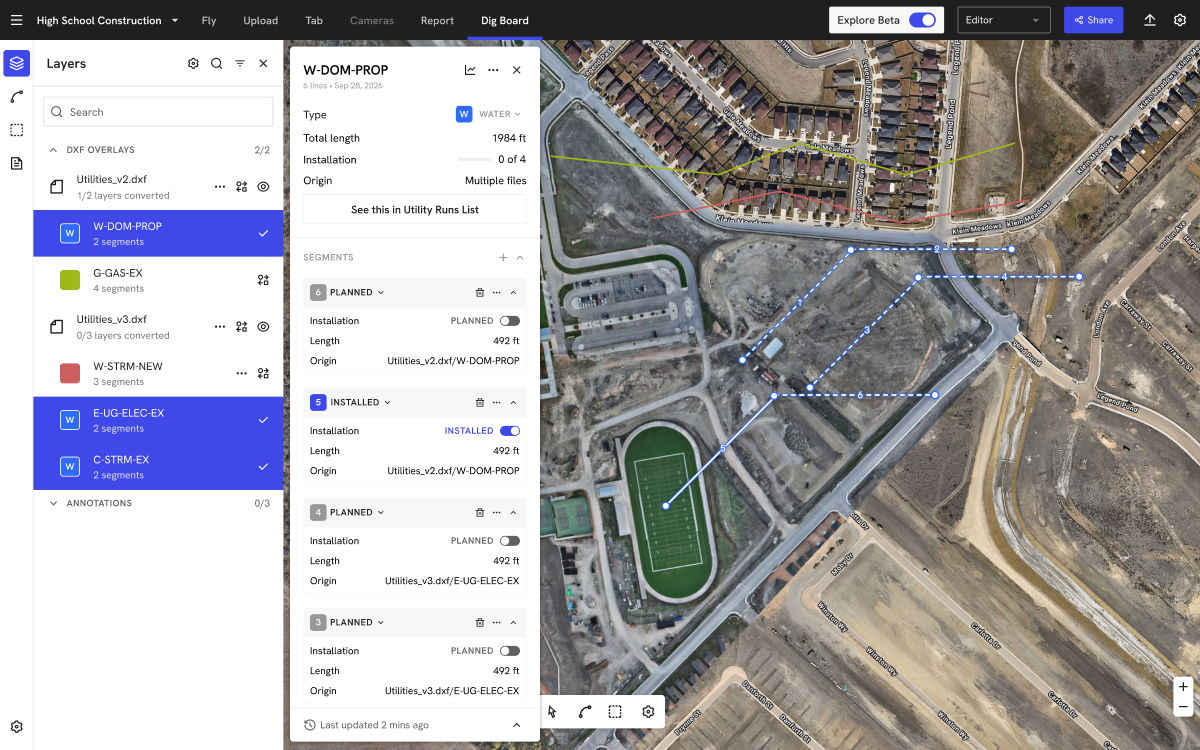
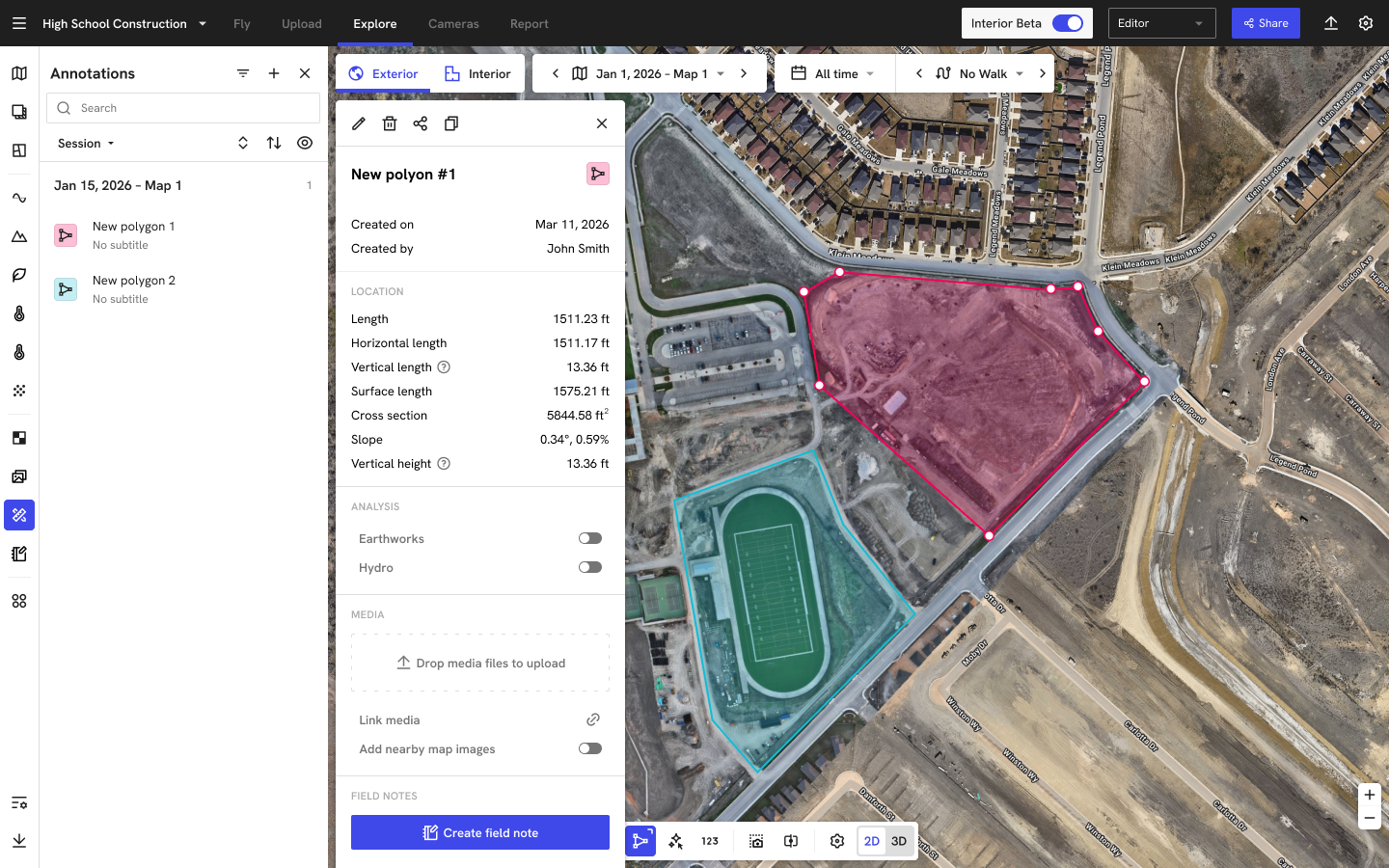
Utility run detail: DXF layers converted into a run, with planned (dashed) and installed (solid) segments
Discovery: why this mattered
The idea came from a customer. A field technology leader at a national GC described printing 8×10 ft site plans, highlighting utilities by hand, and pinning physical permits to the board. Then they started approximating it in DroneDeploy with annotations and screenshots:
“Undergrounding and as-builting are two major challenges we are facing on a day-to-day basis. DroneDeploy is our Digital Dig Board.”
— Field technology leader, national GC
Across discovery sessions with a dozen general contractors and a large tech owner, the same broken workflow appeared:
- Glue work everywhere. Teams stitched together ArcGIS Survey123, Google Forms, DroneDeploy field notes, screenshots, permit numbers and spreadsheets to approximate a system they didn’t have.
- As-builts lag reality. Trade partners updated as-built DXFs weekly or monthly, and one GC reported lags of up to 30 days. Utilities were covered before the record caught up, and some updates were “recreated from memory.”
- Annotations lose depth. Lines drawn on one map didn’t carry forward reliably, and elevation was lost or wrong when copied to the next flight.
- No single place to look. The morning huddle had no one obvious, trusted view of what’s underground and where digging is allowed today.
For DroneDeploy, it was also a clear opportunity. It was a workflow our main earthworks competitor didn’t offer, it gave our survey add-on a sharper reason to buy, and it pulled DroneDeploy into the safety process on every major project.
Problems to solve
- There is no one trusted underground view. Information lived on a wall, in GIS, in CAD files and in people’s heads.
- Permits live apart from the map. The permit of record sat in a safety system or on paper, disconnected from where the dig actually happens.
- As-builts arrive too late. The record should be captured the day a line is installed, before backfill, not weeks later.
- Depth (Z) is fragile. Elevation drifted when maps changed, and teams wouldn’t adopt a tool that couldn’t keep it. As one put it, “If you can’t give me Z, I don’t want to go through this.”
- Generic annotations are too flexible. Dynamic, do-anything annotations were “too complicated” for field teams. They needed opinionated objects: a dig area, a permit, a utility run.
Jobs to be done
When my crew installs a utility, I want the line, its depth and its width recorded that day, before backfill, so the next person who digs here trusts the map instead of digging from memory.
| When… | I want to… | So I can… |
|---|---|---|
| we’re about to break ground | see the work area against everything known to be underground | approve or hold the dig with confidence |
| a permit is issued | pin it to the exact area on the map, linked to our system of record | everyone sees what’s allowed today |
| a line goes in | mark it installed, with depth, before backfill | the as-built is true the same day |
| I get a new DXF | convert its layers into utility runs | design and installed reality sit side by side |
| it’s the morning huddle | open one board on a screen or phone | the whole crew looks at the same truth |
Personas: Dig Board manager (the accountable owner), utility contributor, permit requester, qualified approver, field consumer, VDC / GIS lead and surveyor.
A principle we held throughout: the product never issues dig guidance. A qualified person on the customer’s team always owns dig or no-dig. That shaped everything from color choices to copy.
What we heard
“Our biggest problem is getting the DXFs turned back around… once a week to once a month trying to update that model, which is too slow.”
— Senior VDC Manager, general contractor
“Six months later, some guy goes to install a fence, runs through, it hits the line that we installed.”
— Customer workshop participant
“Nobody working in my group has a PhD or even a bachelor’s degree in GIS… it’s been painful. It doesn’t always work. It goes down a lot.”
— Operations lead, national GC, on their in-house GIS setup
“Freehand drawing is not the way we would want to track live utilities unless that is literally the only option.”
— GIS lead, national GC
“We’re only as good as the info we get.”
— Field team, national GC
“If you miss pulling forward the annotations from one flight to the next, you can lose a lot of that data.”
— Customer workshop participant
“Our big hairy audacious goal is to have our permits as built in the palm of our hand with location services.”
— Field technology leader, national GC
The research included 36 discovery and feedback calls, a pilot that grew to 17 project teams at one GC, and a September workshop with about 50 people from roughly 25 firms. I co-facilitated the workshop on a live sticky-note board.
Diverge: explorations
Standalone app or part of Explore? We could have built the dig board as smarter annotations inside the main map. Field feedback said generic annotations were too complicated, so we went with a dedicated, job-based app launched from Explore. I explored the entry point as an “Apps” menu alongside other focused tools like Earthworks.
Permit-centric or map-centric? Some customers thought in pins (a permit at a spot). Others thought in polygons (an area cleared to dig). We landed on dig areas (polygons with status) that hold permits linked out to the customer’s safety system rather than re-owning the permit record. We learned the link alone wasn’t enough, so the permit’s period, status and history live on the board too.
How permits read on the map. At a pre-alpha review, zoomed-out maps turned into a mess of dots and labels, and nobody could tell what was permitted. I explored four label sizes, then replaced dots with color-coded area polygons and short permit IDs instead of full numbers.
Neutral status colors. Green for “safe” and red for “unsafe” would have implied the software makes the dig call. Permit and area statuses (pending, active, closed, expired) use neutral colors on purpose.
Utility runs: what is a “line”? A DXF polyline, a drawn segment and a real pipe aren’t the same thing. Before any UI, I mapped the vocabulary (run, segment, vertex, layer, origin file) on top of a real screen, so design, PM and engineering used the same words.
Three ways to create a run: freehand drawing, converting DXF layers, and later connecting survey points shot in the field. GIS leads were clear that freehand alone wasn’t acceptable, so DXF conversion shipped alongside it, and survey points are next.
Live or snapshot? Early on we designed the board as published snapshots (V1, V2, V3). By the end of September we moved to a live board with a clear edit vs. view mode, and deferred formal run publishing to 2027.
2D now, 3D later. Depth is stored per vertex and frozen when recorded, but shown in 2D for now. A true 3D utility view is a longer-term goal.
Converge: the solution
- App shell. A dedicated Dig Board tab with a tool rail (Dig Config, Layers, Utility Runs, Dig Areas, Permits), a persistent URL, roles (viewer, editor, manager), and mobile web for the field.
- Dig Config. The manager picks the base map, overlay groups (underground references) and annotation groups once. Everyone sees the same board.
- Dig areas. Drawn polygons with area and perimeter, status chips, and undo.
- Permits. Each has an ID, period, status and color, a link to the system of record, and a change log and history.
- Utility runs. DXF layers convert to runs. Each segment toggles planned → installed and keeps its origin file, and the run shows progress (“1 of 4 installed”).
- A line-style system. Dashed for planned and solid for installed, using industry-standard APWA utility colors, with hover, locked and disabled states. It works next to raw DXF linework.
- Honest data states. For example, “4 lines · no Z” on a DXF layer without elevation.
Major challenges in delivery
Prototype before design. The PM built high-fidelity AI prototypes fast, which was great for customer conversations and hard on design. Customers anchored on the first thing they saw (“first option bias”), and it wasn’t always clear what had been approved. My job became turning a convincing prototype into a coherent system that matched the design system, and showing alternatives early enough to matter. In our retro, the team agreed to get prototypes in front of design sooner and to give AI prototyping “rails” from the design system.
Elevation you can trust. A project had no single vertical datum, and maps within a project could use different height references. We set a rule: a utility’s XYZ is written once and never re-read from a map. A board-level vertical reference covers the gap until project datums ship.
Big files on small devices. DXFs were parsed in several places, and large files could crash the tab. The bar is 500 runs plus dense linework staying interactive on a mid-range tablet across 600-acre sites.
Rollout risk is a design problem. One team set up its own screen without a permit process, hit a utility and blamed the board. Our answer is a named Dig Board manager at onboarding, built into setup, so there is always an accountable owner.
Shared design capacity. I split time between the Dig Board and the Earthworks app through August and September. To keep pace, I worked in component specs (area lists, permit details, map tags) that engineering could build directly, while the PM drove scope.
Results (early)
- Alpha shipped on September 16, 2026, built by four part-time engineers in under a quarter.
- Customer pull is strong. A pilot grew to 17 project teams at one GC, and that customer is putting the Dig Board in its 2027 plan.
- Usage is ramping. In the first full month after alpha, about 140 users across 76 organizations opened a dig board, roughly a 5× increase month over month.
- On stage at Procore Groundbreak (Oct 2026). A customer-led session, “From Paper Permits to One Trusted Underground Map,” plus demo stations at the booth.
- What the field said:
“This is a pretty strong enhancement so that we’re not doing as much band-aids and duct tape.”
— Field technology leader, national GC
“This is a game changer for our teams. I mean, this is true democratization of the process.”
— Field technology leader, national GC, on survey points landing on the board instantly
Early Access goals (Q4 2026): 15 projects across 6+ accounts with at least one published utility run; zero lost-geometry escalations; signed commitments from design partners.
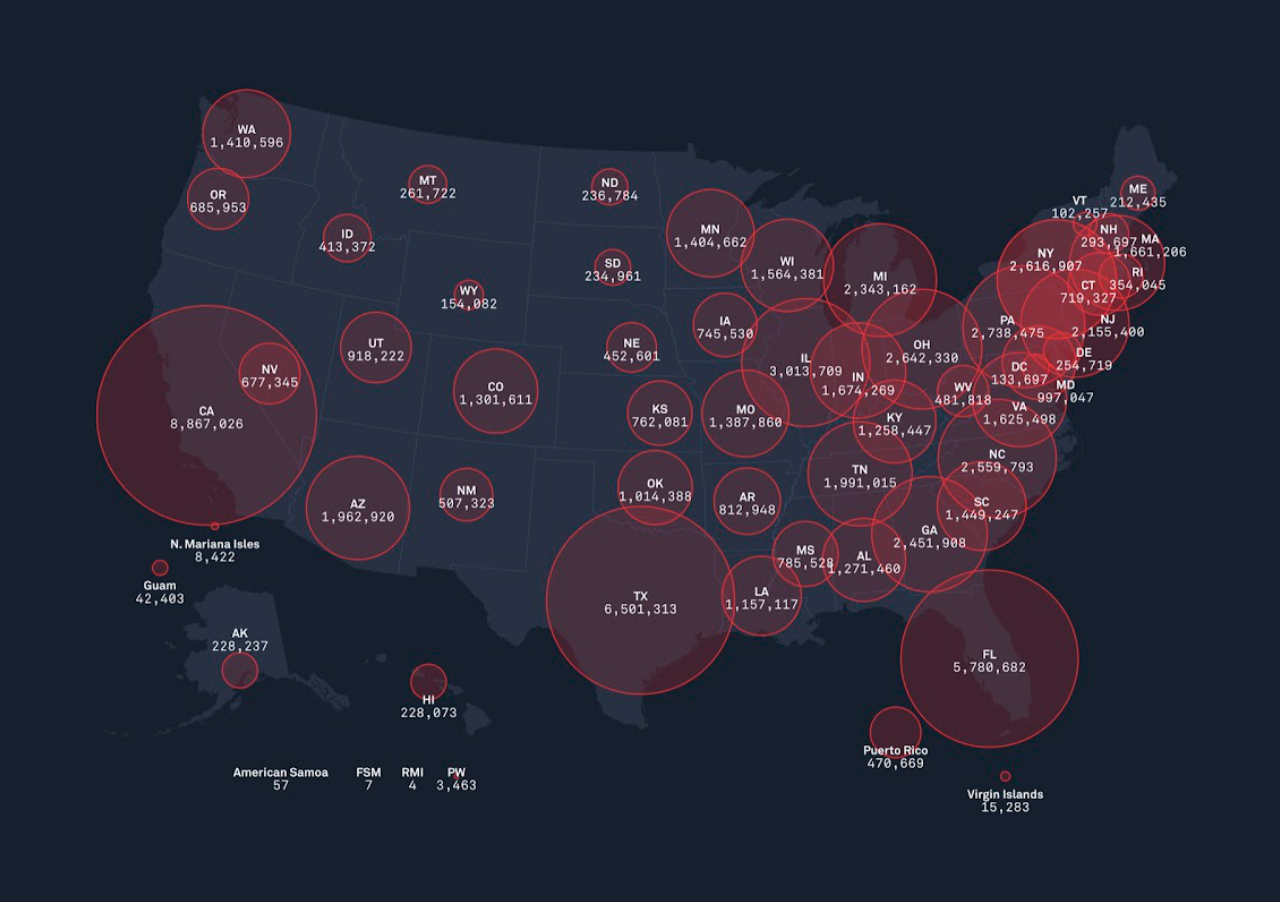
Usage from product analytics (Oct 2026 partial, internal users included).What I led and contributed
Led
- Design of the app shell, Dig Config, dig areas, the permit lifecycle and map tags, from mockups to component specs.
- The utility-run model in UI: nomenclature, DXF conversion, planned vs. installed, the segment list, and the line-style system.
- The map-readability fix from the pre-alpha review (area polygons, short permit IDs).
- The shift from line allocation to a job-based underground workflow, and the admin onboarding / config wizard.
- Co-facilitating the customer workshop.
Contributed
- Product vision, PRDs and AI prototypes (PM-led).
- Data model and tech design (engineering-led). I was the named designer.
- Survey points and map sets, which feed the board, as a reviewer.
Future / Phase 2
- Survey points to runs. Connect points shot with field GPS rovers into utility runs automatically.
- Editable elevation per vertex, with a reference selector (top of pipe, invert, bottom of trench).
- Export as-builts to 3D DXF and GeoJSON, the top ask from the workshop.
- Install-date scrubber, length rollups, lifecycle states (such as abandoned) and confidence levels.
- Map sets: composite base maps that keep trench scans and aerials in one current view.
- Later: cover depth and profiles (“3D without the 3D”), proximity warnings, a 3D utility mode, and permit-system integrations.
Reflection
- Respect the wall in the trailer. The paper dig board works because it’s simple and everyone trusts it. The digital one had to earn that trust before adding anything clever.
- Words before pixels. Aligning on “run, segment, vertex” saved more time than any screen.
- Don’t let the UI make safety calls. Neutral colors and clear ownership mattered as much as any feature.
- AI prototypes need design rails. Speed is a gift only if the system underneath stays coherent.